Notices
What changed in the email, calendar, reminders, files and sources you choose.
A personal AI assistant that keeps up with your life
Assistela keeps the context you choose, watches email and deadlines, prepares plans and helps you finish tasks. Run it on Mac, iPhone, iPad or your own Docker server.
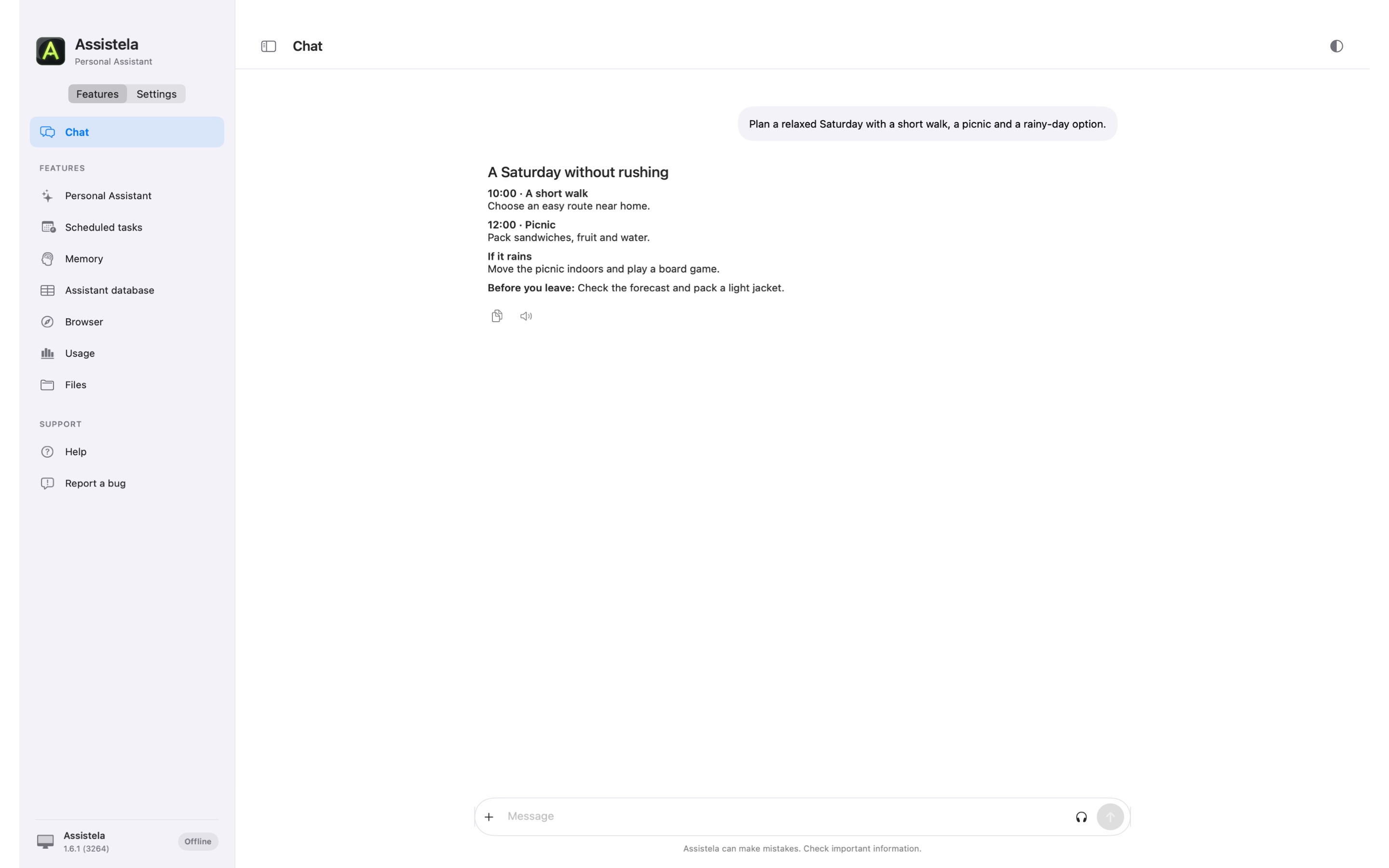
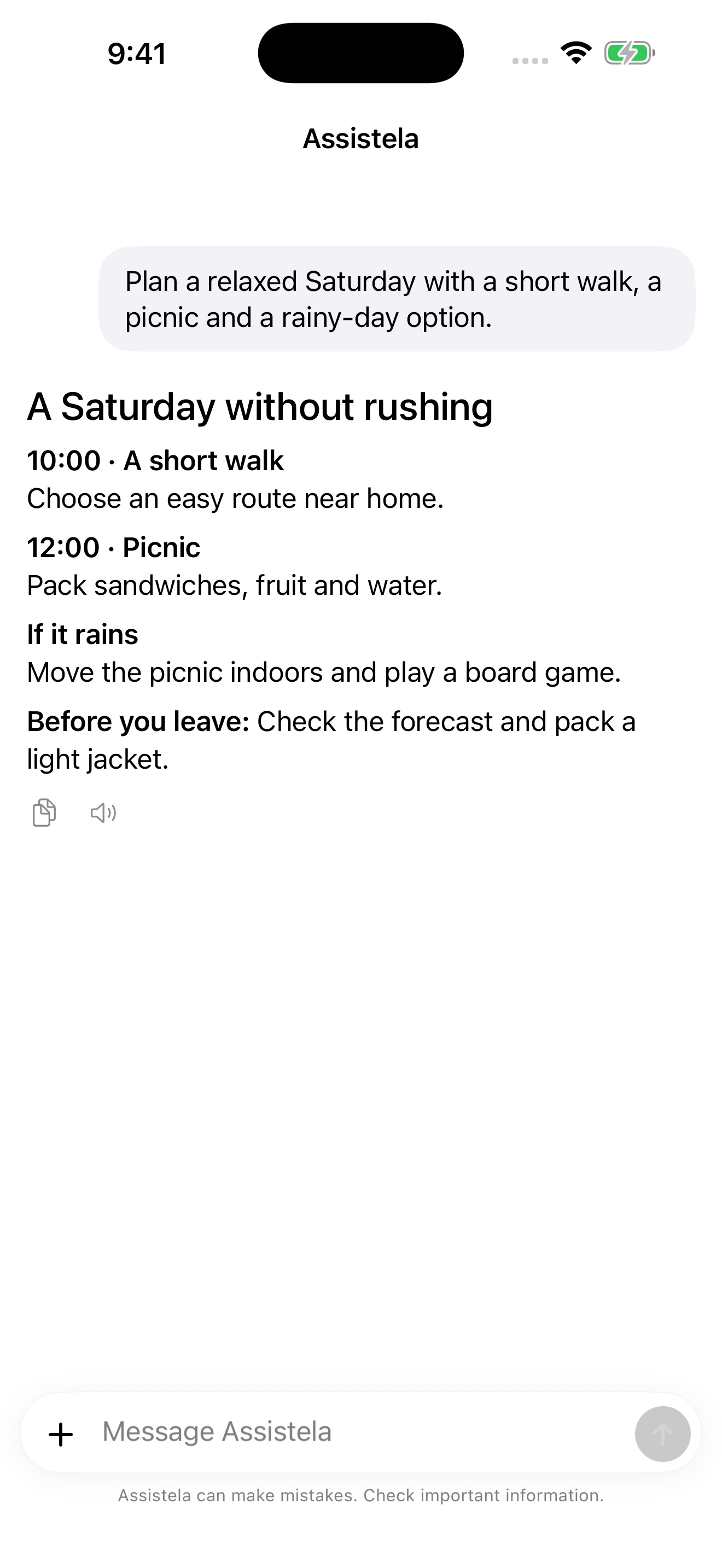
Real Mac and standalone iOS app interfaces with sample content. ¹ Final price depends on your App Store country; App Store Pro trial: 2 calendar months for eligible customers.
What changed in the email, calendar, reminders, files and sources you choose.
Why it matters today, what it relates to and what can wait.
A useful next step: a reply, plan, reminder, research, file or meeting brief.
Routine work can flow. Sensitive or destructive steps can stop for your approval.
Choose a Mac or iOS app, or run Assistela on your own Docker server. Add the free Client for remote access.
Assistela downloaded directly to your Mac, with a free companion for your phone.
Your Mac needs to be running for remote access and scheduled work.
Get the full Mac versionInstall and update through the App Store. Keep your assistant on your Mac and take the Client with you.
No control of other Mac apps, Apple Mail or terminal. Works with imported files; your Mac must be running.
Get the App Store versionYour assistant runs directly on your iPhone or iPad. A Mac does not need to be switched on.
From iOS 26, a task already in progress can continue after you leave the app. iOS still controls scheduling and background execution.
Get Assistela for iOSRun Assistela on your own Linux server or a compatible NAS, with a browser interface and the free iOS Client.
Docker uses server integrations; it does not control Mac apps or directly access Apple Mail or iMessage.
About Assistela DockerFor continuous availability, keep the Assistela host running and reachable. Keep a Mac awake; iOS controls background execution. Your chosen AI provider may charge separately.
A chatbot answers one prompt. Assistela can remember the project, notice the new email, bring back the trip at the right time and prepare the next step without making you rebuild the context from zero.
Editable memory, conversation summaries and time-limited context keep useful continuity without turning every old detail into permanent baggage.
Email, Calendar, Reminders, Notes, files, browser research and selected Mac actions become parts of one task—not separate places you have to coordinate.
Scheduled checks do not have to create another stream of noise. If nothing useful changed, Assistela can simply record the run and leave you alone.
The point is not to use more AI. The point is to carry less in your head, miss fewer commitments and spend less time moving information between apps.
Assistela can turn meetings, important email, reminders and unfinished threads into one realistic order for the day.
“At 7:15 prepare my day. Show what needs a reply, what has a deadline and what I should do first.”
It can watch for requests, invoices, reservations and unanswered conversations, draft replies and create follow-up reminders.
Newsletters stay quiet. A changed booking or a client waiting today reaches you.
Ask for a weekly menu based on your preferences, available time, training days and what is already at home—then turn it into a shopping list.
The plan can change when Wednesday becomes busy; it does not have to be a static PDF forgotten on Monday.
Assistela can prepare a training structure, schedule sessions, remember your constraints and adapt the week when time changes.
You keep the decisions and listen to your body; Assistela keeps the plan, reminders and continuity.
Research places, compare options, build an itinerary, draft invitations, place events in the calendar and bring the plan back when it becomes relevant.
A trip mentioned three months early can stay out of sight until reservations, documents or weather actually matter.
Let it read sources, compare claims, preserve references and return a decision-ready report instead of a pile of tabs.
Useful for products, travel, regulations, home projects, learning plans or any decision that deserves more than one search result.
Assistela is most useful when individual moments connect. A morning email becomes a reminder, the reminder returns before a meeting and the unfinished thread appears in Friday’s review.
Write the instruction in normal language and choose when it runs. No cron, no scripts and no need to remember the same request every week.
“Prepare a short plan from today’s calendar, important unread email and overdue reminders. Recommend no more than three priorities.”
“Check new email. Stay quiet unless something needs a reply today, changes an appointment or contains a deadline.”
“Create a practical five-day meal plan from my preferences and schedule. Reuse ingredients and prepare one shopping list.”
“Look at my calendar and suggest where this week’s training fits. Respect my saved limits and do not give medical advice.”
“Summarize unfinished work, waiting-for items and next week’s early deadlines. Turn only real commitments into reminders.”
“Bring back the trip context once a week. Check reservations, missing documents, useful addresses and tasks that should happen before departure.”
Chats, memory, tasks and configuration live on your chosen device or Docker server. Connect only the sources you want Assistela to use.
Continue in the free Assistela Client for iPhone or iPad, receive briefings and approve actions while your Mac does the work.
Approvals make important boundaries visible. You can let routine work flow and still keep sending, deleting and sensitive actions under control.
Chat and the other app features are free. Personal Assistant and Scheduler require Assistela Pro at US$3.99 a month.
Personal Assistant and Scheduler on your chosen Assistela host.
App Store: two months of Pro free for eligible customers. Details below.
Keep your assistant close on iPhone and iPad.
Requires your main Assistela app to be running and reachable. Personal Assistant and Scheduler require Pro in the main app; chat and the other features do not.
AI usage is separate. Connect your own account or API key from a supported AI provider; any provider charges depend on your plan.
In the App Store, eligible customers receive two calendar months of Assistela Pro free after confirming the purchase. Apple determines eligibility. The monthly subscription then renews automatically at the price shown at purchase. Website currency follows the selected language; your App Store country determines the final local price and currency. You can cancel in your subscription settings.
All pricing detailsNo. You can chat with Assistela, but its value is continuity: memory, scheduled routines, your approved sources, Mac actions and remote access in one assistant.
You choose what is connected and how much autonomy it has. Routine checks can run quietly; sensitive, destructive or financial steps can require approval.
For remote access and scheduled work, the Assistela host must stay running and reachable. Keep a Mac awake; iOS controls background execution. A Docker server can run independently of your phone.
Chat and the other app features are free. Personal Assistant and Scheduler require Assistela Pro at US$3.99 per month. Pro includes a 60-day trial in direct Mac downloads; App Store apps offer two calendar months for eligible customers after purchase confirmation. Assistela Client is free. AI provider fees are separate.
Choose where Assistela will run, connect what matters to you and tell it what you need. Start with one small thing.